Is AI Dubbing Legal? Copyright, Consent and Rules
- Published
- Reading time
- 10 min read
- Author
- By BEN-TK
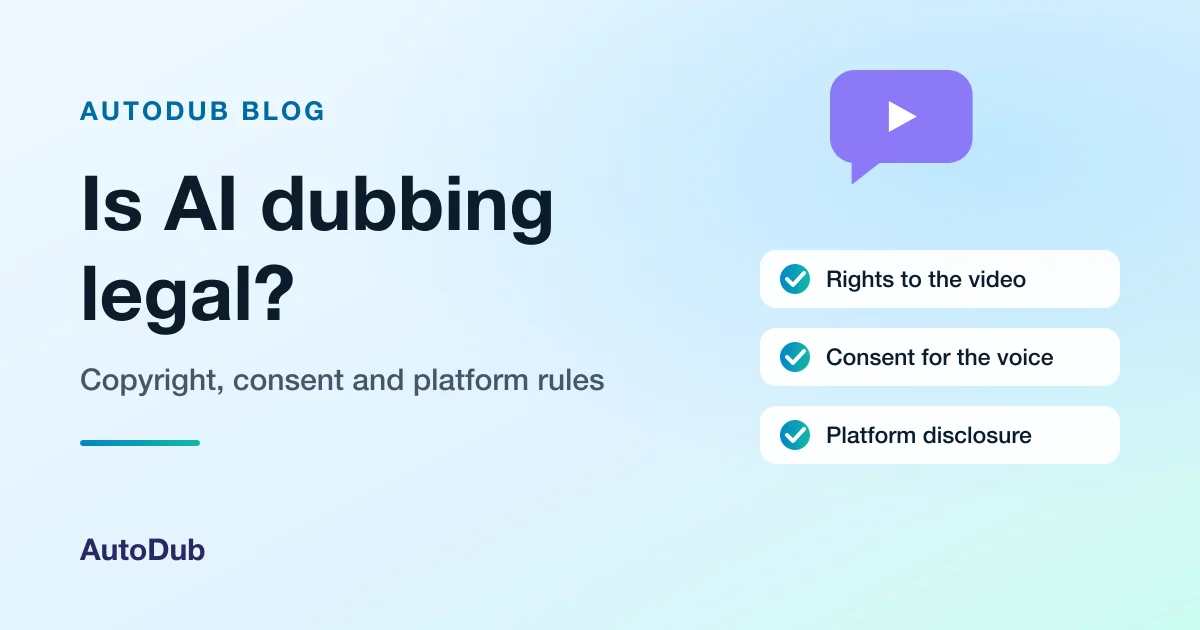
Table of contents
- The short answer, case by case
- Copyright: you need the rights to the video
- Voice cloning and consent
- Platform rules: disclosure on YouTube and TikTok
- Can you monetise a dubbed video?
- What AutoDub checks, and what it does not
- A checklist before you publish a dub
- Dub your own videos
- AutoDub specs and limits
- Frequently asked questions
- Related reading
Is AI dubbing legal? Yes. AI dubbing is a legal tool, in the same way subtitles are: what decides whether a particular dub is lawful is the video and the voice in it. You need the rights to the video you dub, permission from anyone whose voice is cloned, and you must follow each platform's rules on AI content.
So the question is less "is the software allowed?" and more "is this video mine to translate, and is this voice mine to copy?". This guide walks through copyright, voice consent, the disclosure rules on YouTube and TikTok, monetisation, and what AutoDub does and does not check, with a checklist at the end.
This page is general information, not legal advice. Laws differ from country to country, and a lawyer who knows your situation is the right person for a firm answer. The rules for using AutoDub are in our Terms of Service, copyright complaints follow our DMCA / Copyright Policy, and the limits of what we provide are in our Disclaimer.
The short answer, case by case
Most creators fall into one of these situations. The right-hand column is what you should have before you publish the dub.
| Your situation | What you need first |
|---|---|
| Your own video, and you are the only person speaking | Nothing extra: you own the video and the voice is yours |
| Your own video with a guest, co-host or interviewee | The consent of each other speaker, because their voice is cloned too |
| A client's or employer's video | Written permission from whoever owns the video, covering the translated version |
| Another creator's YouTube, TikTok or Instagram video | Permission from the copyright owner; without it, do not publish the dub |
| Your video with someone else's music, film clips or footage | A licence that also covers the dubbed version, or remove that material |
Copyright: you need the rights to the video
A dub is a translation, and in copyright law a translation is a new version of the original work. United States law defines it this way: "A 'derivative work' is a work based upon one or more preexisting works, such as a translation, musical arrangement, dramatization, fictionalization, motion picture version, sound recording, art reproduction, abridgment, condensation, or any other form in which a work may be recast, transformed, or adapted." The right to make one belongs to the copyright owner, who has the exclusive right "to prepare derivative works based upon the copyrighted work". Source: 17 U.S.C. § 101 and § 106, Legal Information Institute, checked November 4, 2026. Other countries word it differently, but the idea that the author controls translations of their work is widespread.
In practice that means dubbing your own videos is fine, and dubbing someone else's needs their permission. Being able to watch a video for free, or paste its link into a tool, does not give you the right to translate and republish it.
Platforms enforce this automatically. On YouTube, "When a video is uploaded to YouTube, it's automatically scanned by Content ID", and when it matches material a rights holder has supplied, the owner's settings decide what happens: YouTube can block the video, monetise it with ads for the owner, or track its viewing statistics. Source: YouTube Help, "How Content ID works", checked November 4, 2026. A dub replaces the speech but keeps the picture and usually the background music, so a dubbed copy of someone else's video can still match.
Voice cloning and consent
AI dubbing usually does more than translate: it re-creates the speaker's voice in the new language. With AutoDub, the voice of the person speaking is cloned from the video for each dub, so the dub sounds like them. That makes consent the second question after copyright.
If the only voice in the video is yours, you are consenting to your own clone. If a guest, a student, an employee or a client speaks in the video, ask them first and keep their answer in writing. Laws on using a person's voice and likeness differ between countries and, in the United States, between states, so written consent is the simple way to stay on the safe side.
Platform and legal rules point the same way:
- YouTube lists "Cloning one's own voice to create voice overs or dubs" among the minor changes that do not need an AI disclosure, but requires one for realistic content that "makes a real person appear to say or do something they didn't do". Source: YouTube Help, "Disclosing use of GenAI content", checked November 4, 2026. The page does not say how it treats a dub in someone else's cloned voice; if in doubt, disclose.
- The European Union's AI Act says, in Article 50(4): "Deployers of an AI system that generates or manipulates image, audio or video content constituting a deep fake, shall disclose that the content has been artificially generated or manipulated." Source: Regulation (EU) 2024/1689, Article 50, on EUR-Lex and the AI Act explorer's Article 50 page, checked November 4, 2026. Whether a given dub counts as a deep fake depends on the facts; dubbing someone into a language they do not speak, without saying so, is the kind of case to ask a lawyer about.
Platform rules: disclosure on YouTube and TikTok
Both big video platforms ask creators to label realistic AI content, and both say what happens if you do not.
YouTube. "We require creators to disclose AI-generated or altered content that seems realistic." Content that is not disclosed "may be subject to manual application of a label, or penalties from YouTube". Disclosure itself is not a penalty: "Disclosing AI content alone won't limit a video's audience or impact its eligibility to earn money." Source: YouTube Help, "Disclosing use of GenAI content", checked November 4, 2026.
TikTok. TikTok's Community Guidelines say: "we require creators to label AI-generated or significantly edited content that shows realistic-looking scenes or people", and "Unlabeled content may be removed, restricted, or labeled by our team, depending on the harm it could cause." Source: TikTok Community Guidelines, "Integrity and Authenticity", checked November 4, 2026.
AutoDub does not put a watermark or a label on the dubbed video, so where a platform asks for a disclosure, you set it when you upload. Platform rules change, so check the current help page before you publish.
Can you monetise a dubbed video?
On YouTube, money depends on the YouTube Partner Program's channel monetization policies, not on whether a video was dubbed. YouTube renamed its "repetitious content" policy to "inauthentic content" in an update dated July 15, 2025. The policies say content must "Be your original creation. If you borrow content from someone else, you need to change it significantly to make it your own." Channels that "repurpose content that's already on YouTube or another online source without adding significant original commentary, substantive modifications, or educational or entertainment value" are not eligible, and "This policy applies even if you have permission from the original creator." For AI tools, "the final product must still demonstrate your creative vision". Source: YouTube Help, "YouTube channel monetization policies", checked November 4, 2026. The page does not mention dubbing or translation by name.
Read together, the safe pattern is clear. Dubbing your own original videos for viewers in other languages is your own work in another language. Re-uploading other creators' videos with a new voice track, even with their permission, is the pattern the reused-content rule describes. Many creators add their dubs to the original upload as extra audio tracks rather than opening a copy channel; our guide to YouTube multi-language audio tracks shows how, and YouTube's auto dubbing, explained covers the dubbing YouTube does itself.
What AutoDub checks, and what it does not
AutoDub is built for people dubbing videos they own or have the rights to use. Here is what that means in practice:
- Your rights are your responsibility. Our Terms of Service ask every user to confirm they own the video or have all the rights to it. We do not monitor, review or verify the ownership or legality of the videos people dub, and pasting a YouTube, TikTok or Instagram link does not prove the video is yours.
- Copyright owners can act. If a dub made with AutoDub infringes your copyright, send a notice under our DMCA / Copyright Policy. We remove infringing content and close the accounts of repeat infringers.
- Accuracy is yours to check. A mistranslation can put words in a speaker's mouth. AutoDub has no script editor, so watch the dub with someone who speaks the language before you publish it.
A checklist before you publish a dub
1. Confirm you own the video
Or get written permission from the owner that covers a translated version. Check the music, clips and footage inside it too.
2. Get consent for every voice
Anyone who speaks in the video will be heard in a clone of their voice. Ask each of them, and keep the answer.
3. Check the translation
Watch the dub with a speaker of the language, or read its subtitle file, so the dub says what the speaker meant.
4. Disclose where the platform asks
Use YouTube's altered or synthetic content setting and TikTok's AI-generated content label when the content falls under their rules.
5. Publish on your own channel
Publish the dub to your own channel or as an audio track of your original video; avoid copy channels of other creators' work.
6. Keep records
Save permission e-mails, consent notes and your original files, in case a claim or a question comes later.
Dub your own videos
When the video is yours, AutoDub dubs it into another language in a clone of your voice, with lip-sync and subtitles. The AI video dubbing page shows what a finished dub includes, and how to translate a YouTube video from its link covers dubbing your own uploads. To hear particular languages, browse the video translation pages by language pair, for example English to Spanish, English to Hindi or English to Arabic. New to the topic? Start with what AI dubbing is and how it works.
The free trial dubs your first video, up to 2 minutes, and you can watch the result in your dashboard; downloading it comes with a plan or a one-video unlock, all on the AutoDub pricing page.
AutoDub specs and limits
What AutoDub accepts, what it returns, and what it does not do yet.
| Input | A MP4, MOV, M4V or WebM file up to 2 GB, or a public YouTube, TikTok or Instagram link |
|---|---|
| Video length | Up to 30 minutes per video, on every plan |
| Languages | 70+ target languages; the language spoken in the video is recognised automatically |
| Output | An MP4 in the speaker's cloned voice, lip-synced, plus SRT and VTT subtitles in the new language |
| Turnaround | Most videos are ready in 5–15 minutes |
| Free trial | One video, up to 2 minutes, watched free in your dashboard; a verified e-mail address, no card |
| Downloads | With a plan, or a one-time unlock from $4.99 |
| Price | Monthly plans from $39; yearly plans 20% off; subscribers can top up with minute packs from $25 |
| Storage | Your videos and dubs stay in your account until you delete them |
What AutoDub does not do yet
- No script editor. You cannot edit the transcript or the translation of a dub, so watch every dub before you publish it.
- No public API. Every dub is started in the web app; there is no API for teams yet.
- One language per dub. Each dub has one target language and is billed as its own dub. Paid plans can pick several languages in one submission; the free trial is one video in one language.
- 30 minutes and 2 GB per video. A longer or larger video has to be split into parts before you upload it.
- Subtitles only in the new language. The SRT and VTT files are in the dubbed language; there is no subtitle file in the original language.
- Links from three sites. AutoDub fetches YouTube, TikTok and Instagram links; a video from anywhere else has to be uploaded as a file.
- No accent or dialect setting. You pick a language, such as Spanish, not a regional variety of it.
- No automatic deletion. Nothing is removed for you: your videos and dubs stay in your account until you delete them in your dashboard.
- Downloads need a plan or an unlock. A free trial dub can be watched, not downloaded: the video and its subtitles download with a plan or a one-time unlock from $4.99.
Last verified
Frequently asked questions
Usually yes, if the videos are your own original work. YouTube's monetization policies judge whether content is original and not reused; they do not ban dubbing. Dubbing your own videos, or adding the dubs as audio tracks to your original upload, fits that. Re-uploading other creators' videos with a new voice track is reused content, and YouTube says that rule applies even with the creator's permission.
Ask for it, and get it in writing. Cloning your own voice is fine. For anyone else, such as a guest, a student, an employee or a client, laws on voice and likeness vary by country and by US state, and platforms ask for a disclosure when content makes a real person appear to say something they did not say.
It can. YouTube scans every upload with Content ID, and a dub keeps the original picture and usually the background music, so a dubbed copy of someone else's video can still match their files. A dub of your own video, with music you have the rights to, should not match anyone else's claim.
It depends on the platform and on whose voice it is. YouTube lists cloning your own voice for dubs as a minor change that needs no disclosure, but asks for one when realistic content makes a real person appear to say something they did not. TikTok asks you to label AI-generated content that shows realistic people. If you dubbed someone else's voice, label it.
No. Our Terms make each user responsible for having the rights to the videos they dub, and we do not monitor or verify ownership. Copyright owners can send a notice under our DMCA policy, and we remove infringing content and close the accounts of repeat infringers.
Related reading
- Is AI dubbing safe? Your video, voice and data
- How to dub a video with AI, step by step
- What AI dubbing costs per minute
- Subtitles vs dubbing: which one to choose
- AutoDub vs HeyGen
Dub a video you own
Your first video, up to 2 minutes, is free to try. Watch the dub in your dashboard before you decide.
Written by BEN-TK
Keep reading
Related articles
 Guide · 8 min read
AI Dubbing Cost per Minute: What You Pay and Why
What one minute of AI dubbing costs, where the money goes (compute, voice cloning, lip-sync), AutoDub's price per minute on each plan, and what a studio or subtitles cost instead.
Read article Guide · 10 min read
Subtitles vs Dubbing: Which to Choose, and When
A direct answer first, then the trade-offs: what each costs the viewer and the creator, what audiences in different countries say they prefer, and how to publish a dub and subtitles together.
Read article Guide · 10 min read
YouTube Auto Dubbing Explained: On, Off and Limits
YouTube's automatic dubbing, from YouTube Help: what it does, the 30 languages it starts from, why a video is not dubbed, how to switch it off as a creator or a viewer, and when your own dub is the better choice.
Read article